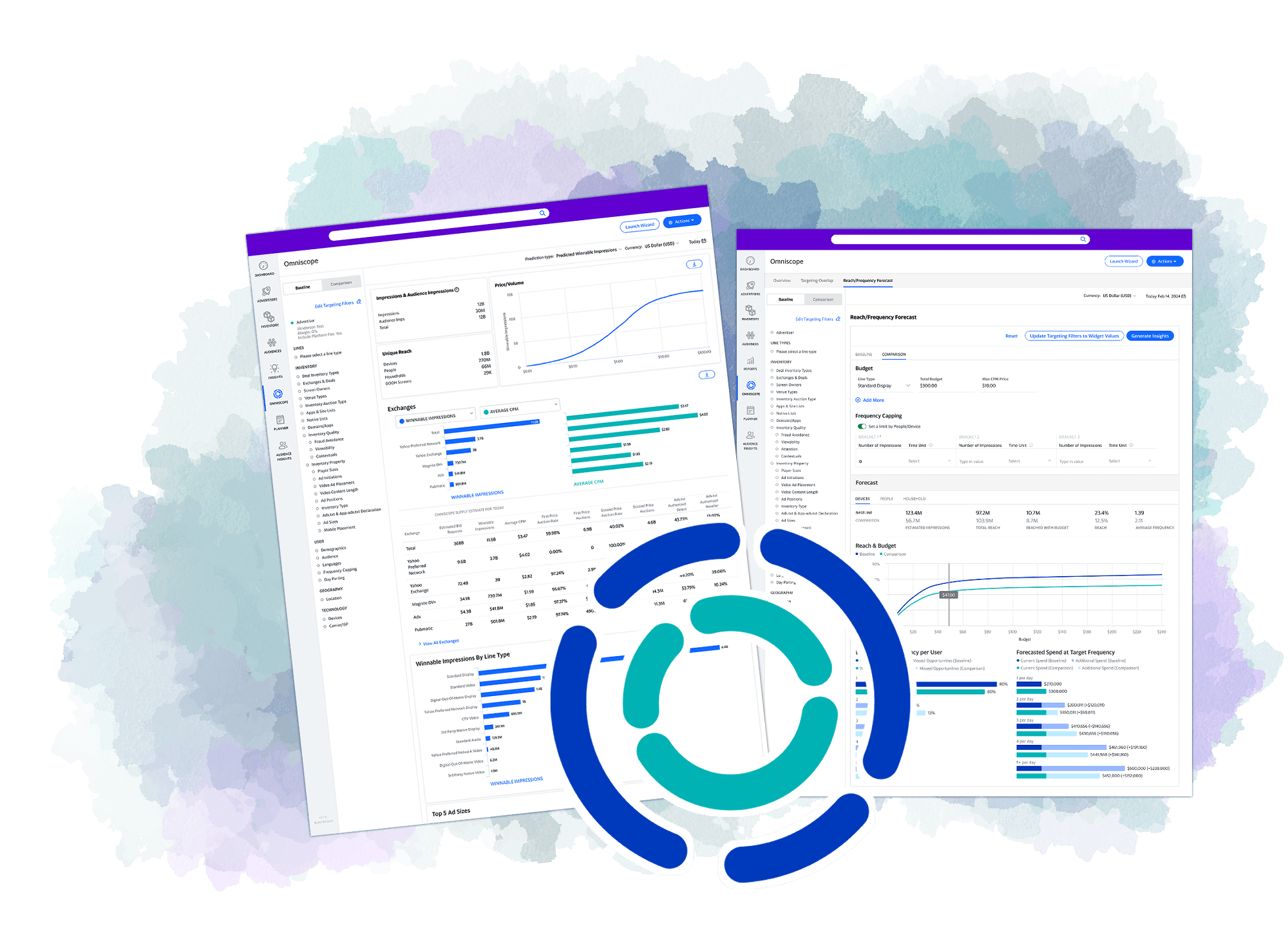
Omniscope
Unlocking hidden forecasting data through interaction
A data exploration tool that helps campaign strategists evaluate forecasts across impressions, reach, and performance KPIs.
Case Study Overview
Impact: Widely-adopted interactive forecasting
2.1x number of users preferred Omniscope to the previously-offered forecasting tool
70% feature adoption in the first month of release
2 trillion bids processed daily by forecasting algorithms
The Challenge
Business Problem
Campaigns were underperforming because critical forecasting data wasn't accessible to users in-platform.
Rich data sat unused—we collected this data, but weren't surfacing it anywhere.
Existing flow drove users out of platform, requiring them to export reports and analyze externally.
User Problem
Users want to know their optimal targeting strategy: (see left)
Platform lacked exploration capabilities—users relied on external tools to test and analyze strategies.
No guided workflow existed to help campaign managers explore data and optimize using proven strategies.
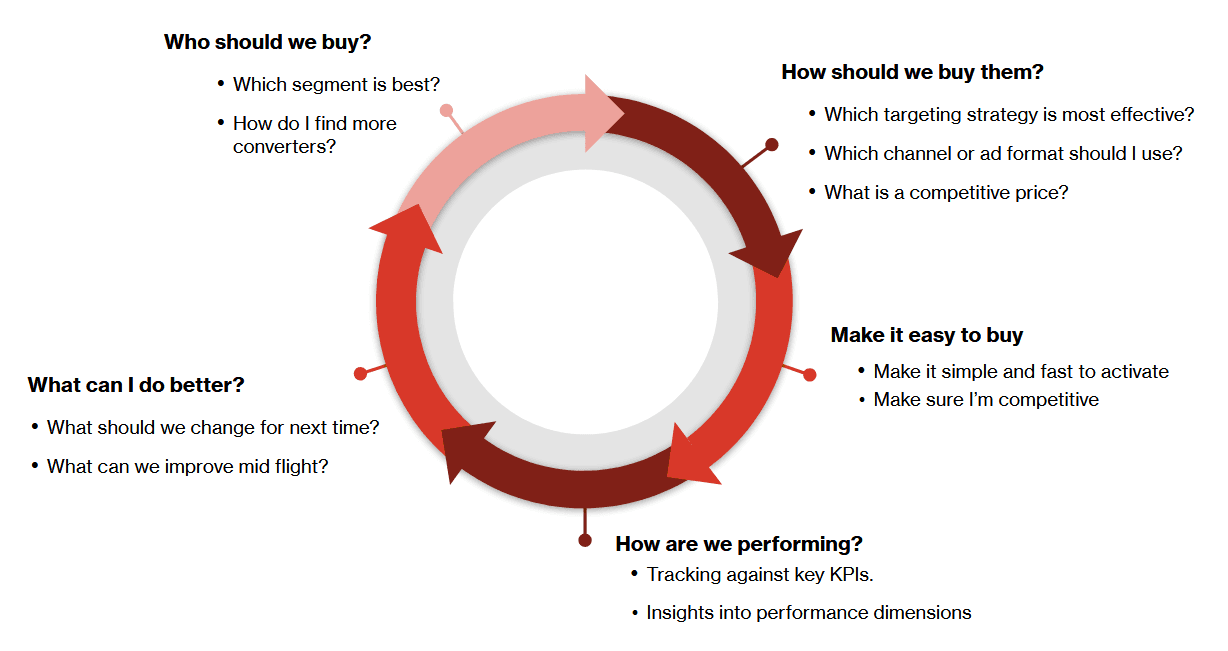
The key questions we wanted our tool to be able to answer
The Timeline
Jul 2018
Identified the opportunity — Began as napkin sketches between myself and a PM. Once we validated the concept could solve real problems, I created low-fidelity mocks for what we called Codename: Spyglass.
Sep 2018
Built internal momentum — Gathered guerilla feedback from in-house campaign managers, refined designs to mid-fidelity, and pitched leadership. The concept earned official resourcing.
Nov 2018
Scaled the team — Spyglass was greenlit. A second designer joined to collaborate on interaction flows for data input and exploration.
Jan 2019
Launched internal alpha — Released MVP to internal account managers for real campaign work. Feedback revealed the tool felt overwhelming, so we designed an onboarding workflow to guide adoption.
Mar 2019
Expanded to beta — Opened to all internal users and select external clients. Design finalized based on feedback.
May 2019
Full launch as Omniscope — Released to all users, achieving 70% feature adoption in the first month.
Final Designs
A Note on Styling
Omniscope received multiple feature additions and visual updates between 2019-2023.
The mocks shown reflect different design systems as the product underwent brand evolution.
Core Flow
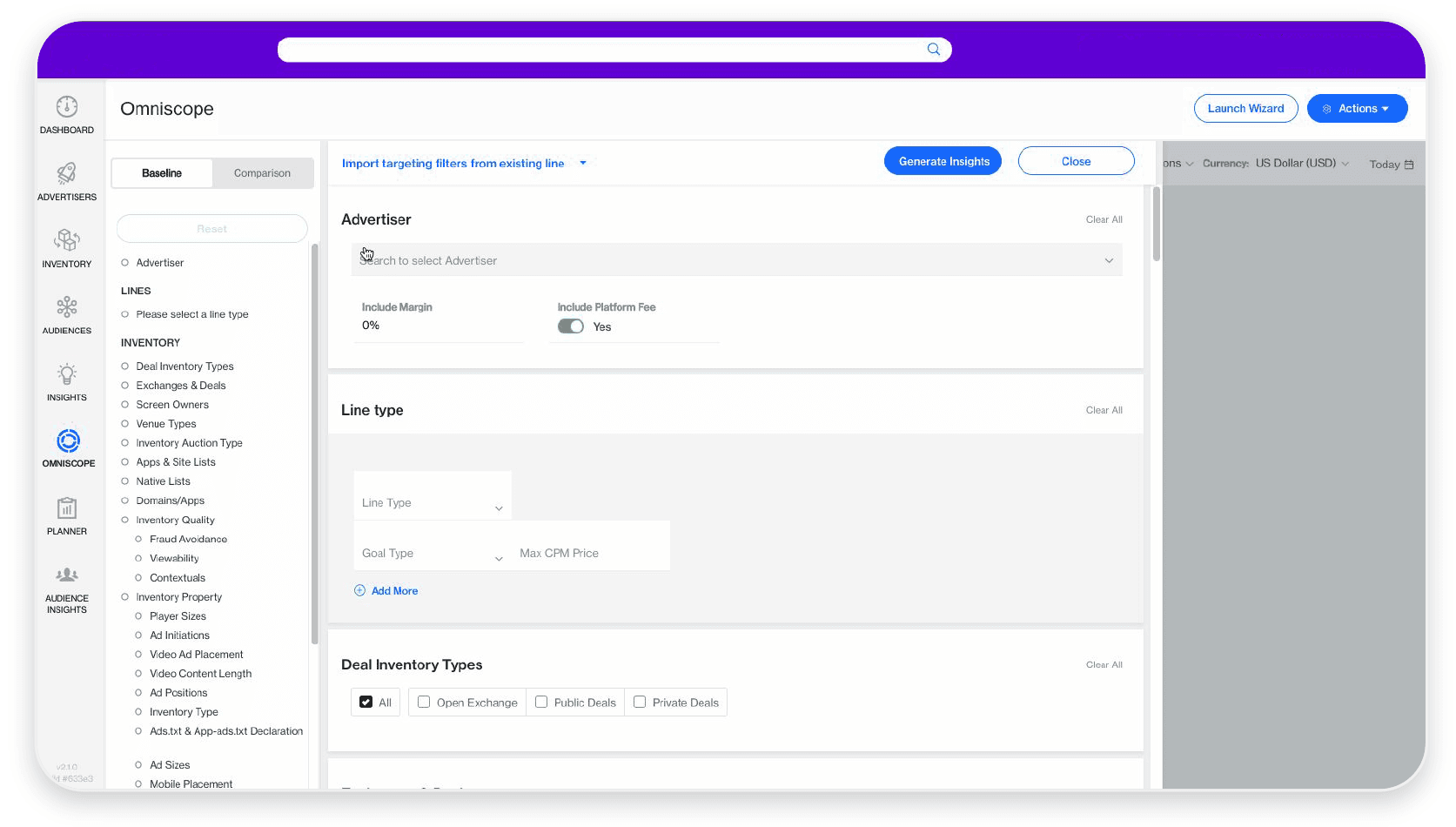
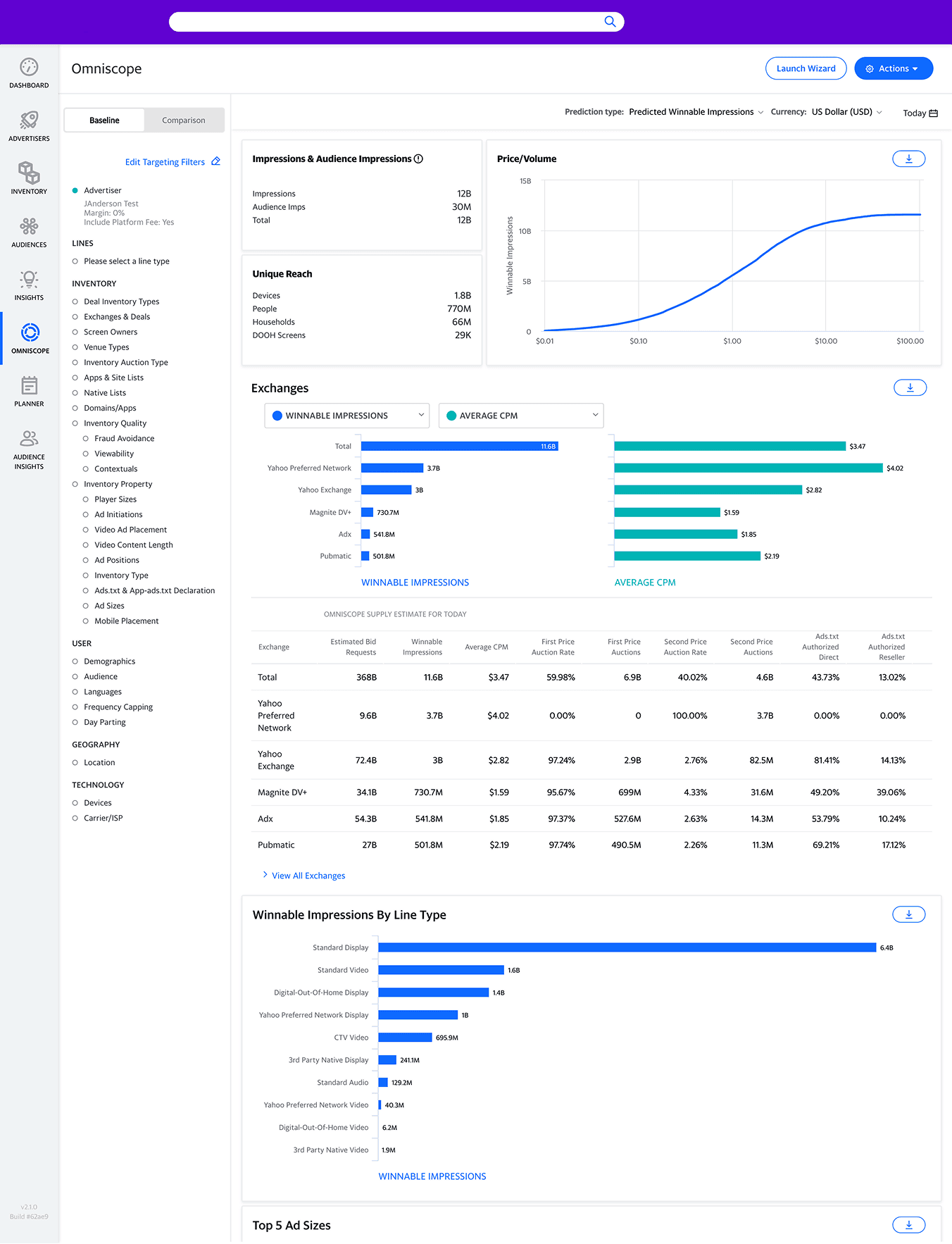
Step 1 - Input Targeting
Campaign managers enter targeting criteria (audience, geography, etc.) to forecast impressions, reach, and performance KPIs.
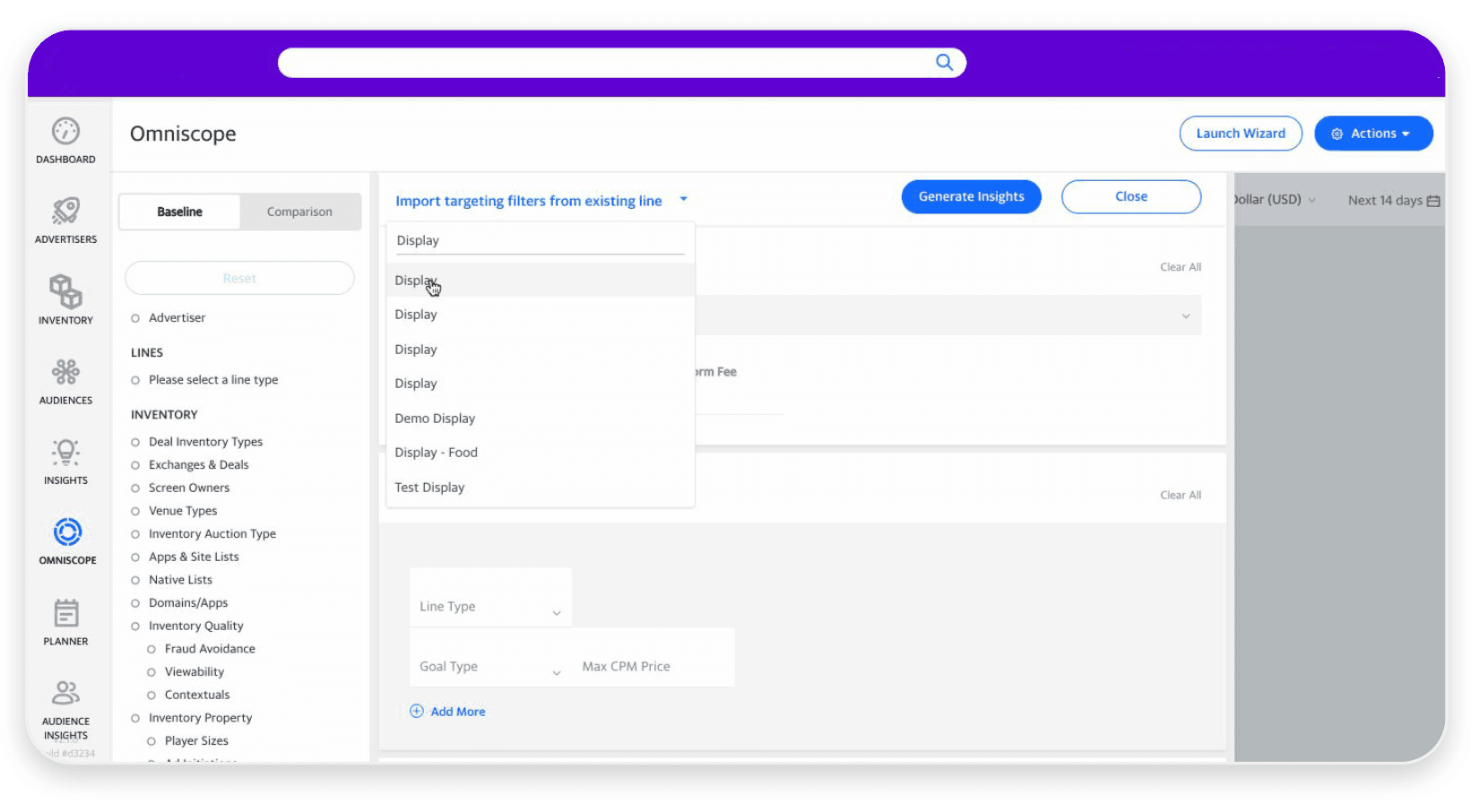
Step 1A - Import Targeting
Alternatively, users can import existing line item settings instead of starting from scratch.
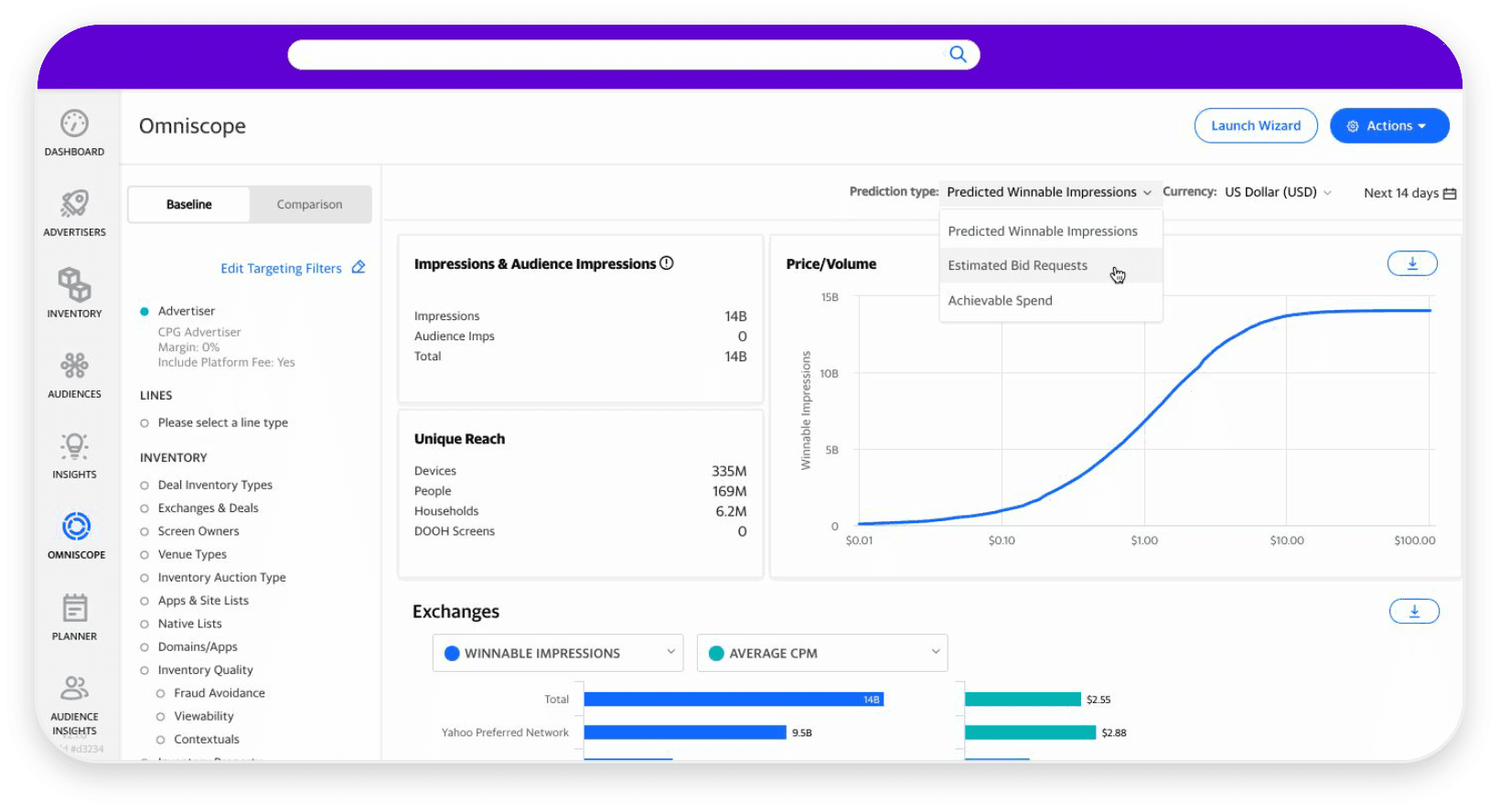
Step 2 - View Insights
The report populates with forecasting data. Users interact with charts to view breakdowns and explore different data cuts.
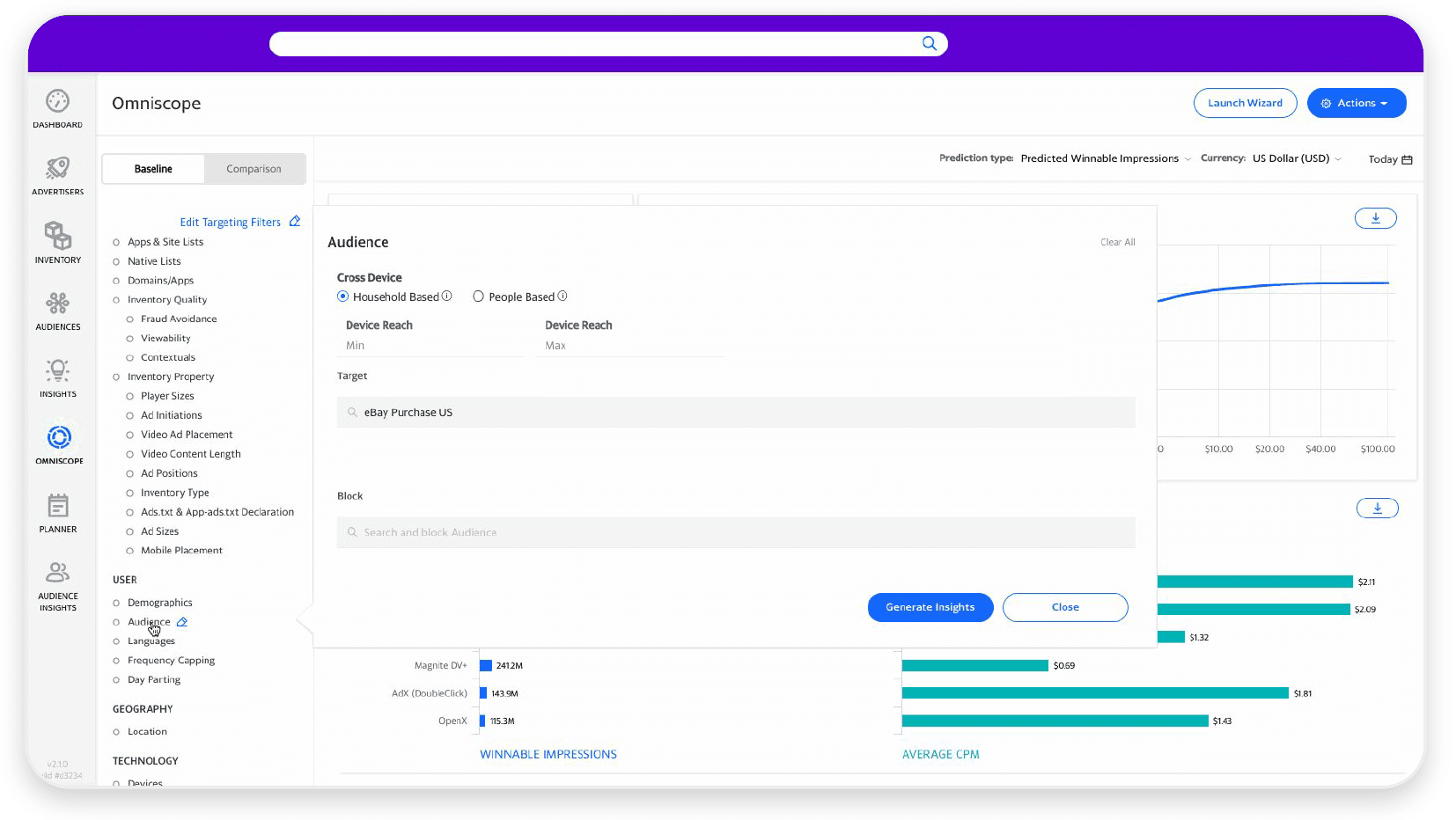
Step 3 - Adjust Output
A quick-edit panel lets users tweak targeting criteria and instantly see updated forecasts without reopening the full targeting panel.
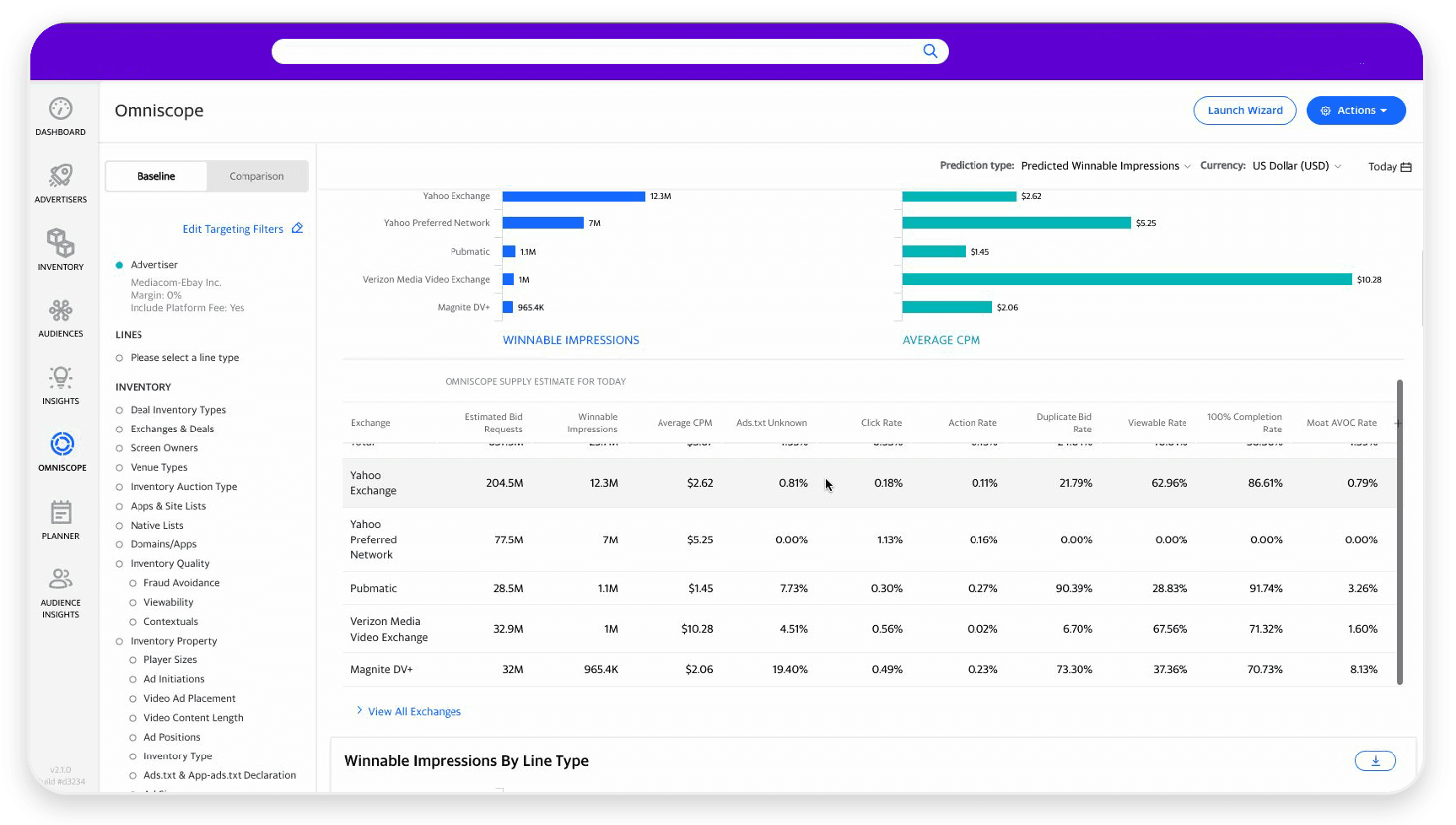
Step 4 - Compile Insights
Users export the full report or copy specific values to compile insights for clients.
Feature Highlights
Onboarding Tutorial Flow
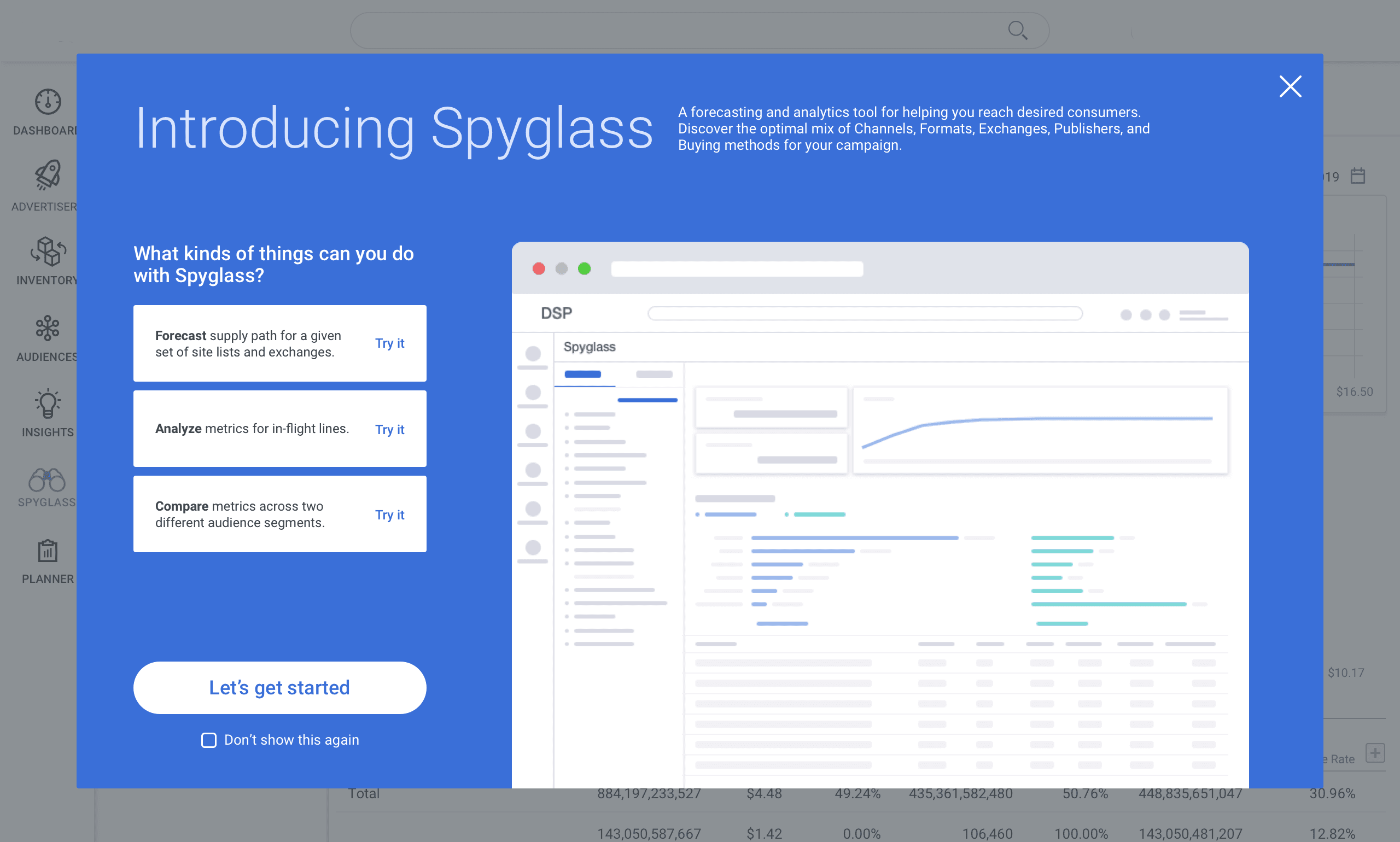
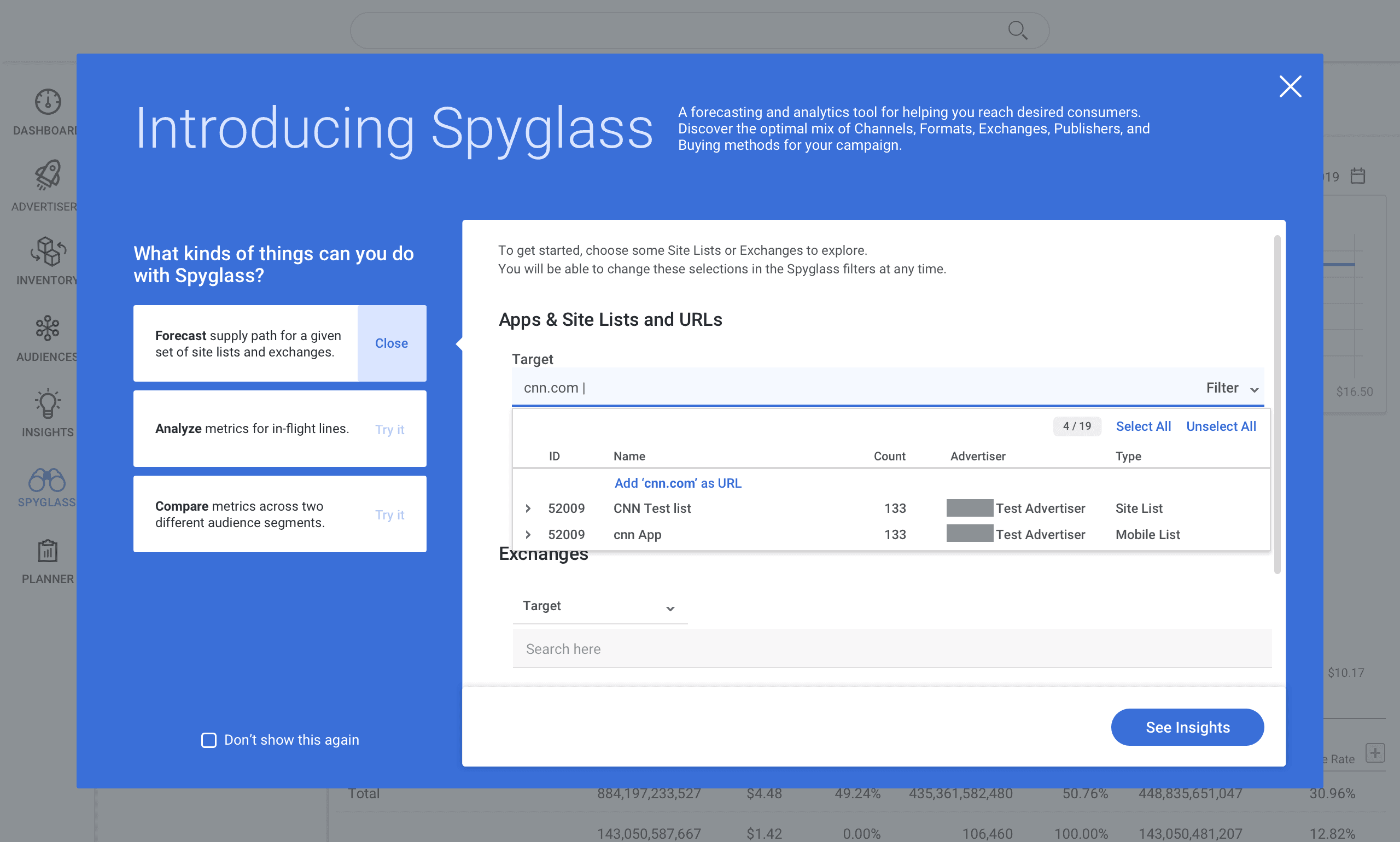
Landing Page
New users are greeted with an interactive walkthrough using actual tool components, helping them learn best practices and common workflows without relying on experienced colleagues. The wizard remains accessible via "Launch Wizard" for returning users who need a refresher.
Comparison
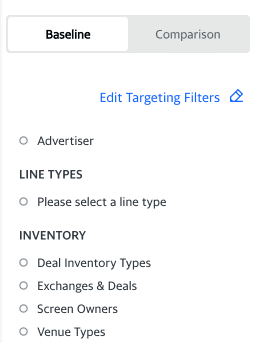
Accessing Comparison
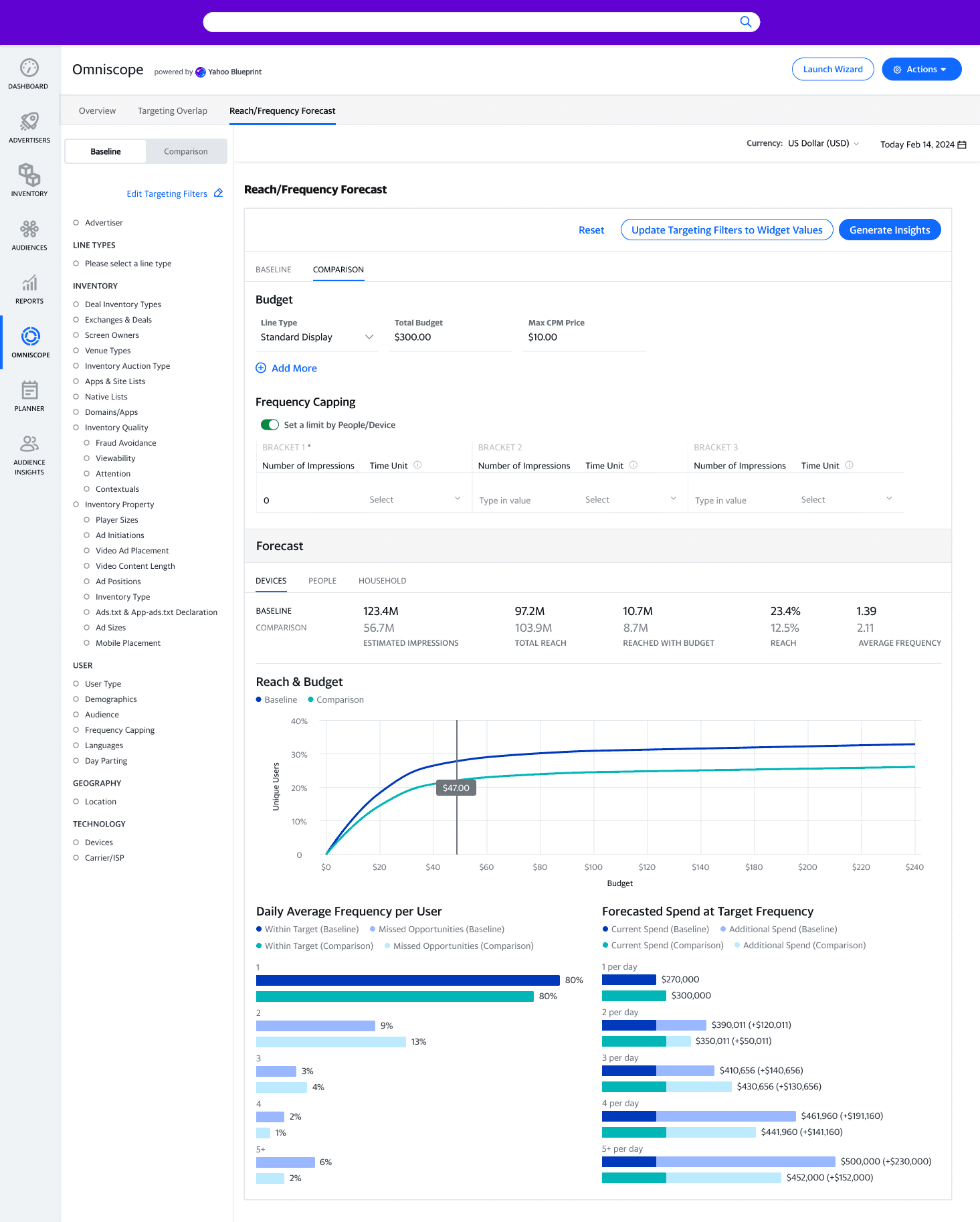
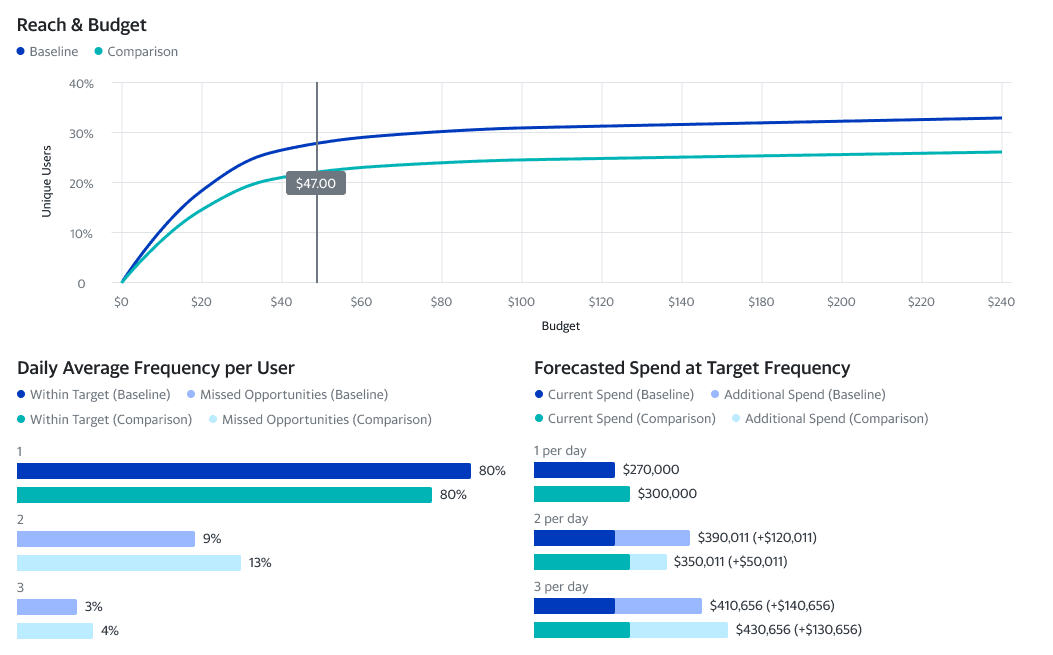
Baseline and Comparison tabs at the top of the filters panel let users input different targeting strategies and view results side-by-side in blue and teal.
Charts and Tables
Charts display both datasets simultaneously for easy comparison. KPIs and tables stack results in rows for quick evaluation.
Customization
Tab names are editable (e.g., "Ages 25-34" vs "Ages 35+"), and chart legends update automatically to match user labels.
Additional Features
Drill Down
Users can click charts to reveal deeper breakdowns. For example, viewing Top Domains by subdomain, or inventory split by deal or channel.
Export
Tables export as .csv or .xls, charts download as images, and full reports save as comprehensive PDFs for client sharing.
Create Campaign from Omniscope
The "Actions" menu launches campaign or line item creation with targeting settings prefilled from the current forecast.
Process
Early Ideation: Shaping the core concepts
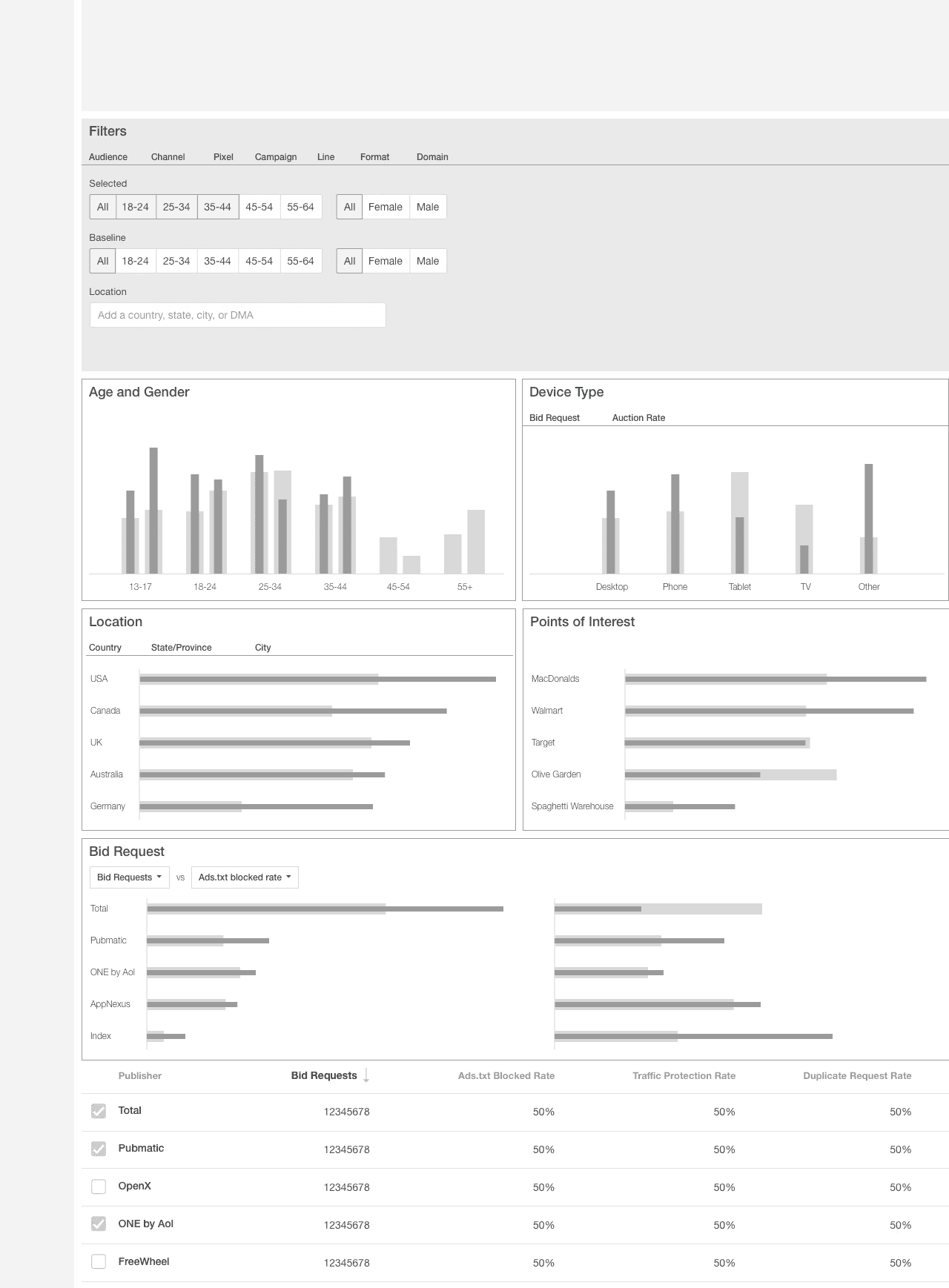
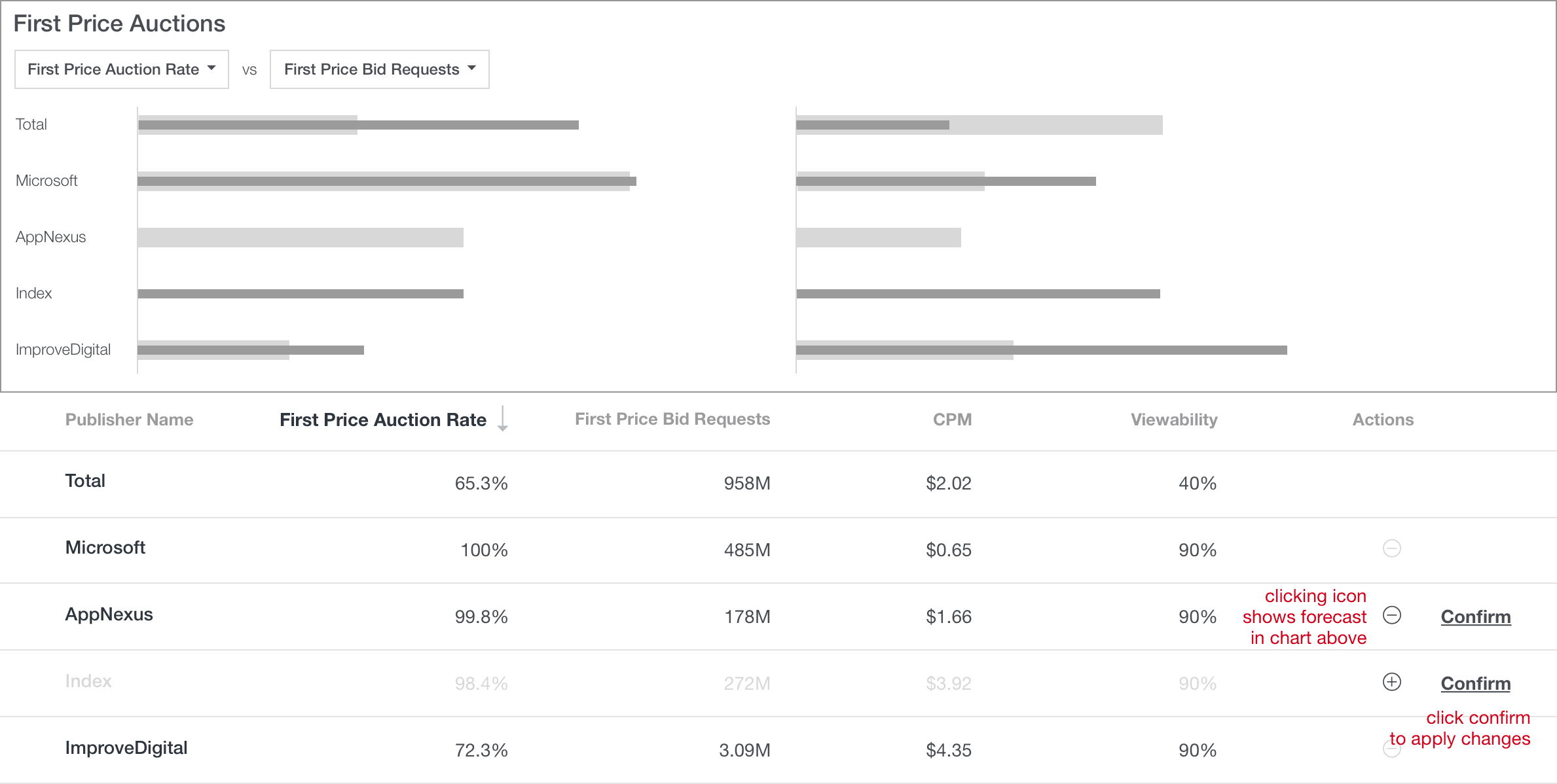
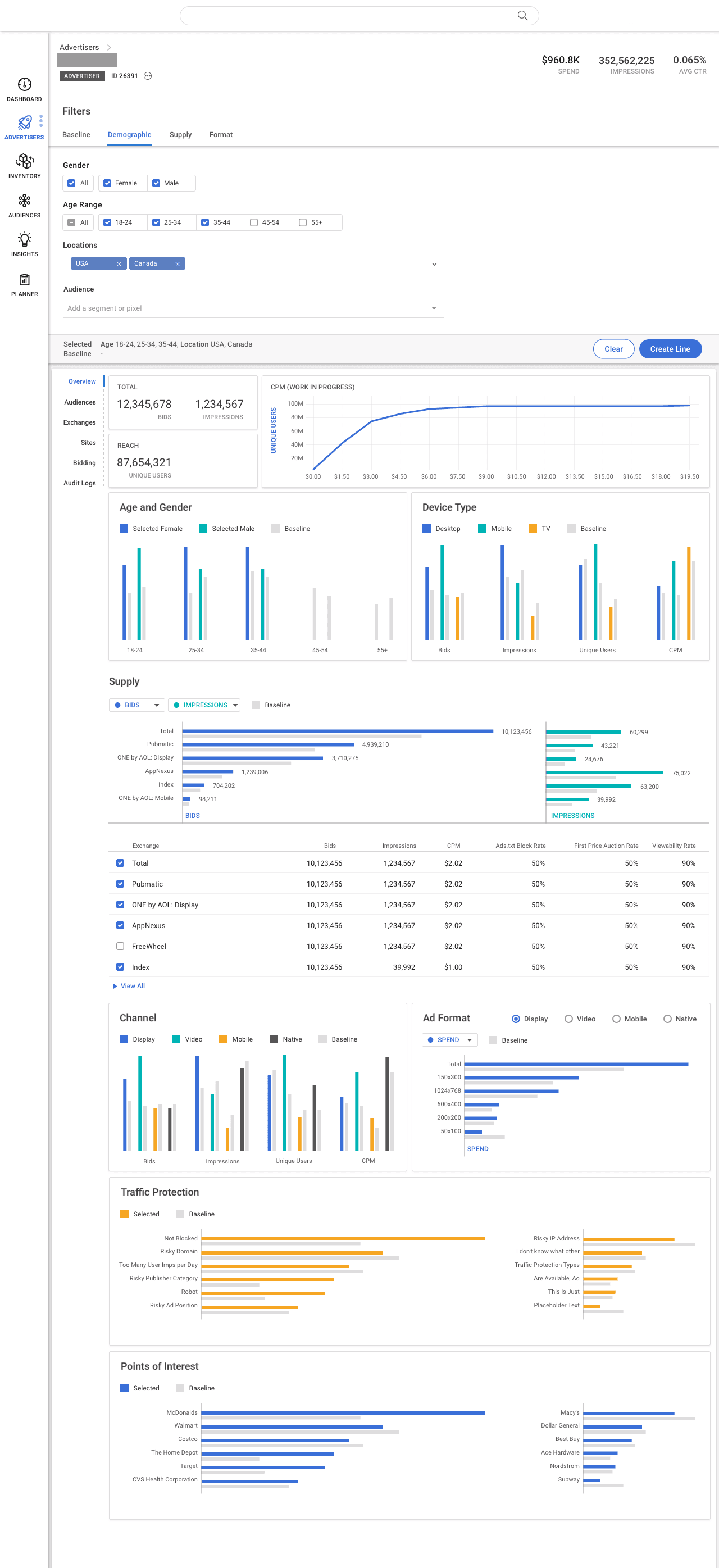
Layout Fundamentals: Filter panel and chart structure defined the product from the first wireframes
Comparison: Evaluating two targeting strategies side-by-side was central to the vision from day one.
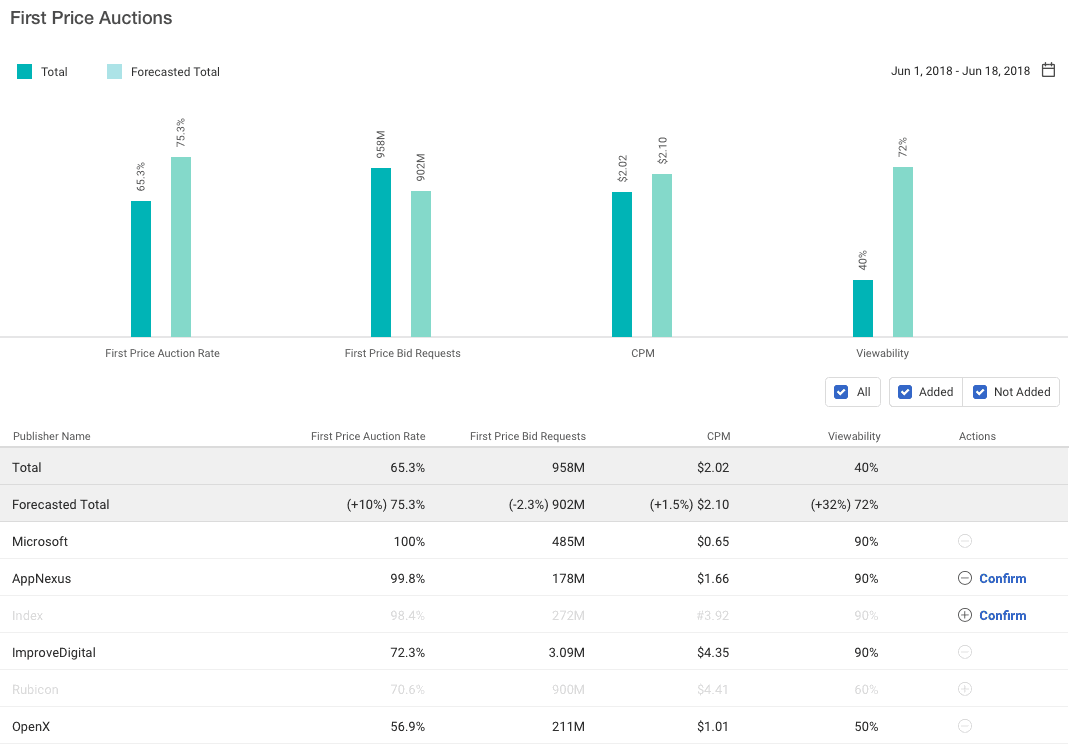
Interactive Exploration: Tables and charts are dynamic tools, not static reports.
The Pitch: From concept to proposal
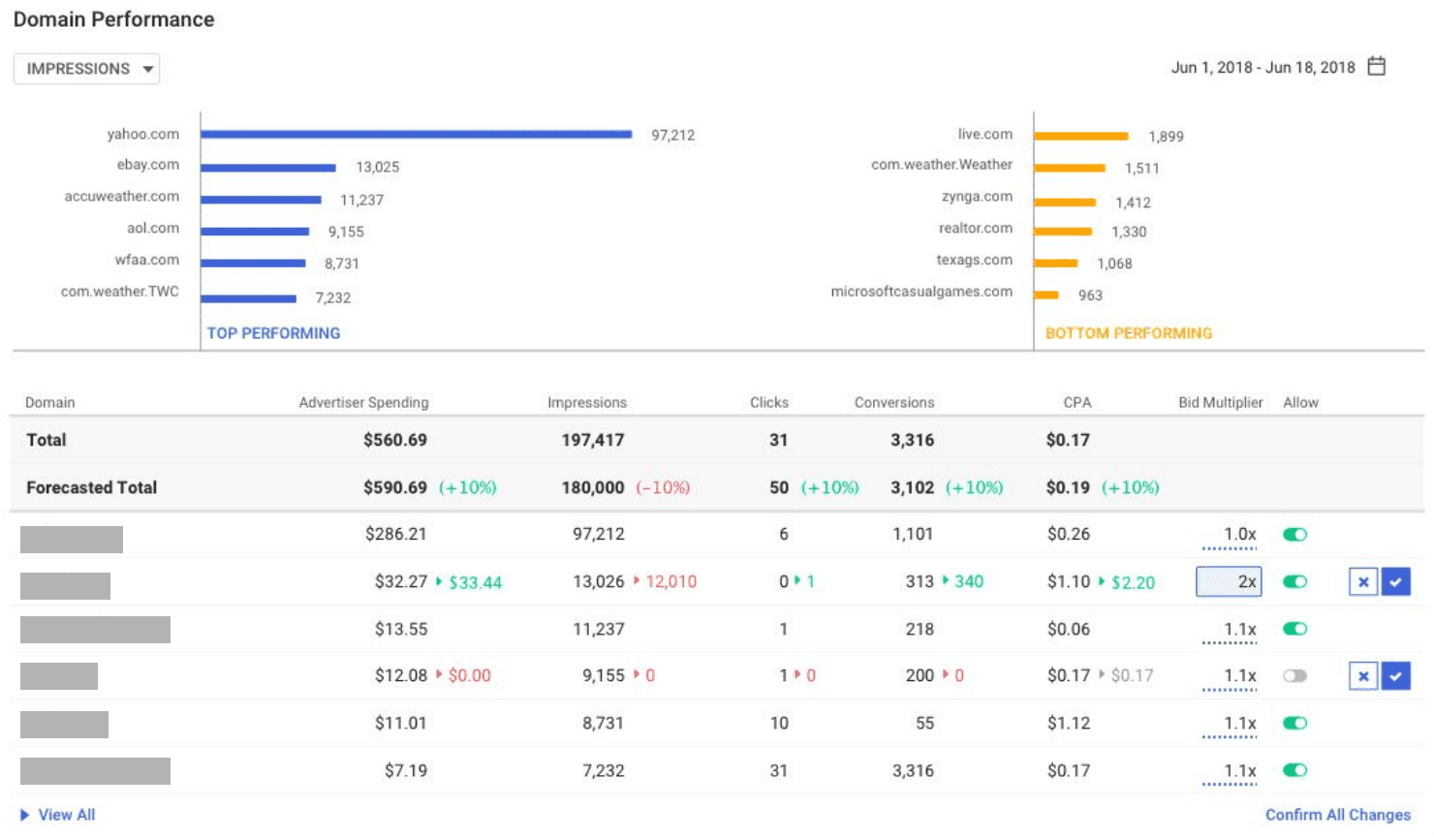
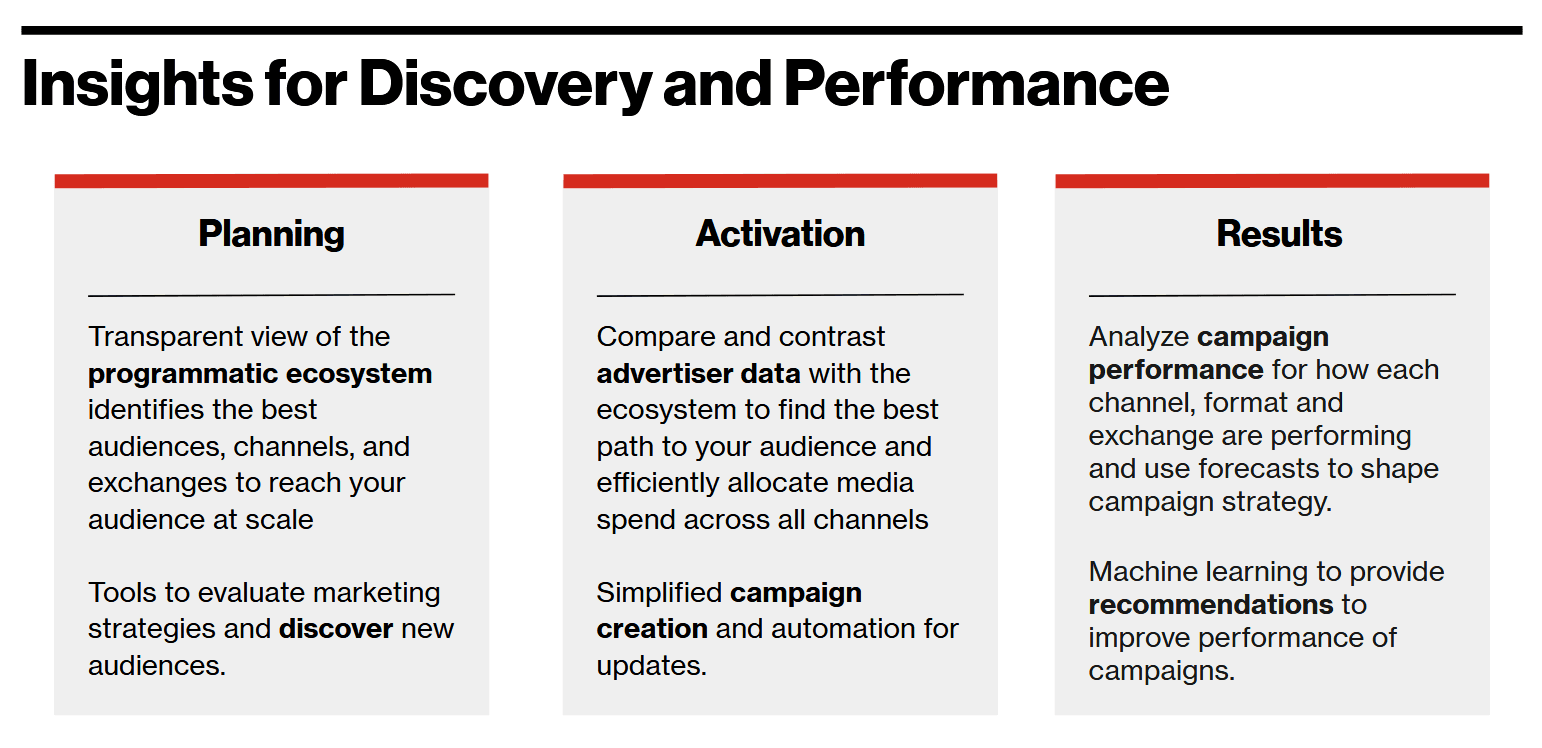
We polished the wireframes to match the platform's design system for our leadership pitch.
The intro slide summarizes our goals, while the screens demonstrate the core workflow.
Funded!
The pitch secured official resourcing. We expanded the team to include a second designer and user researcher, with one quarter to finalize designs for development.
Research
Methodology: Rapid iteration under tight timelines
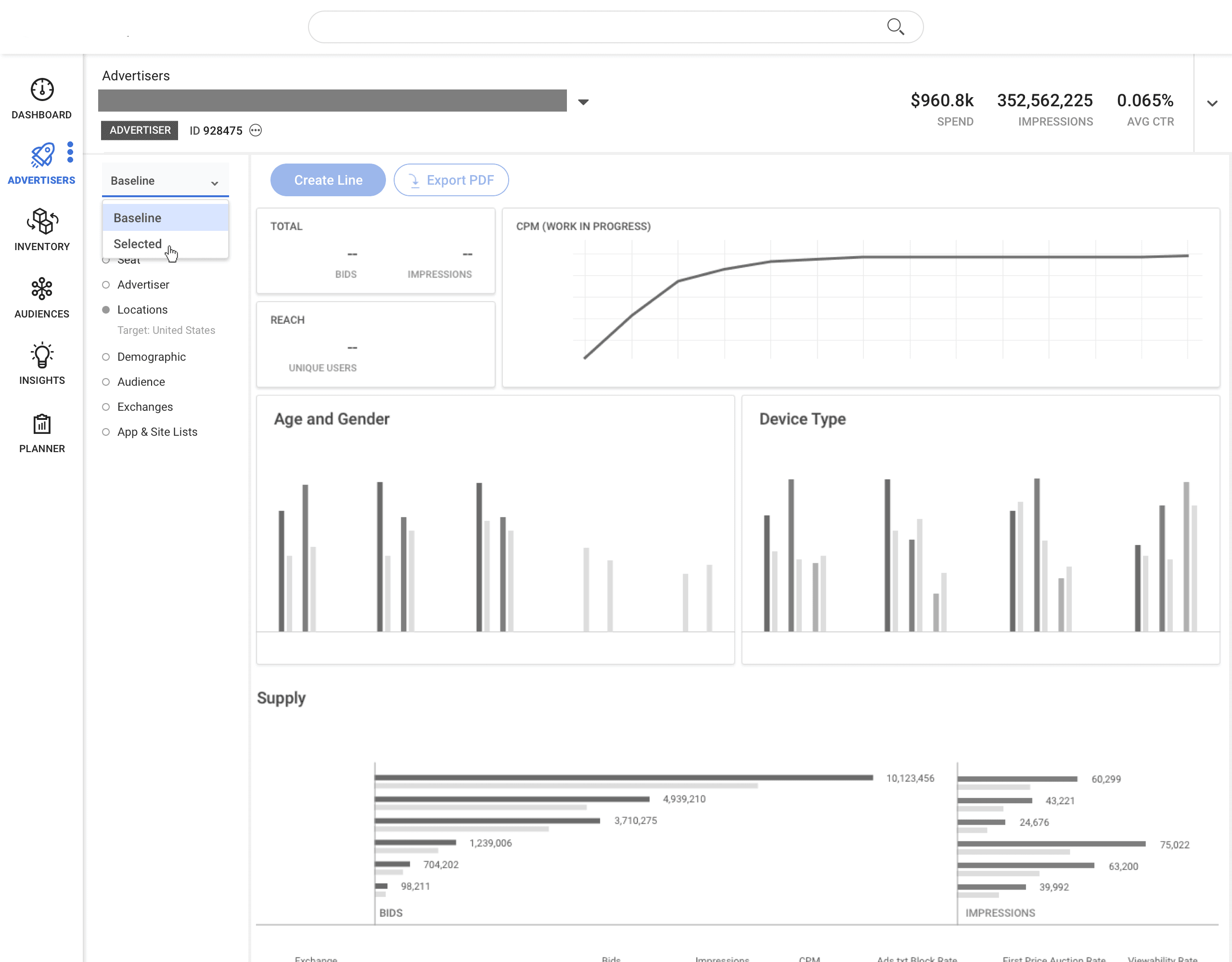
Rapid Iterative Testing and Evaluation (RITE) — We revised mocks between usability sessions so each participant tested an incrementally improved flow.
18 tests across 8 prototypes, with each of our 9 participants returning twice to test evolving concepts.
Alpha Launch Q1 2019 — We continued to iterate based on real-world usage from internal testers.
146
TOTAL PARTICIPANTS
10
Survey Participants
9
Usability Testers
127
Alpha Testers
Examples of Prototypes
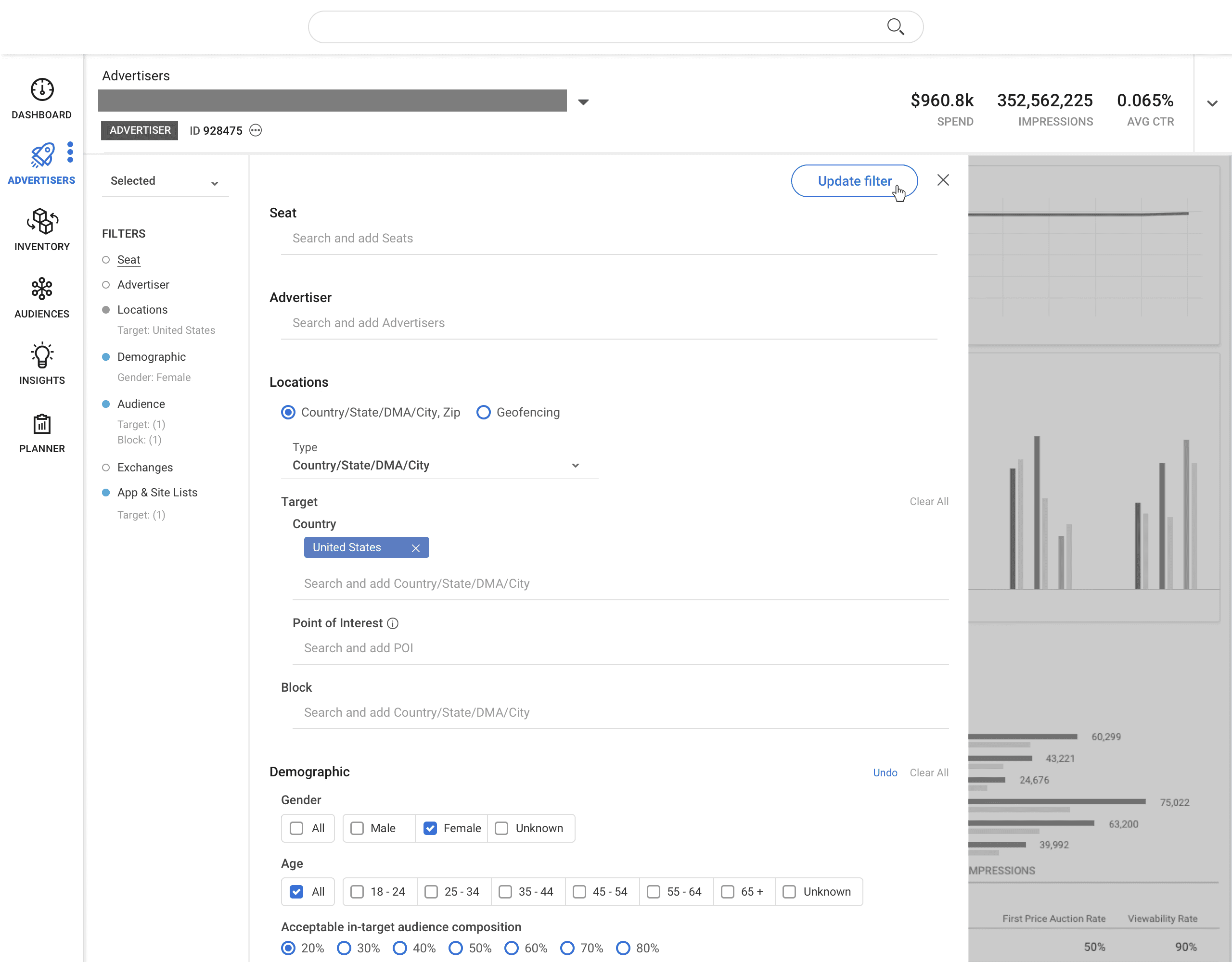
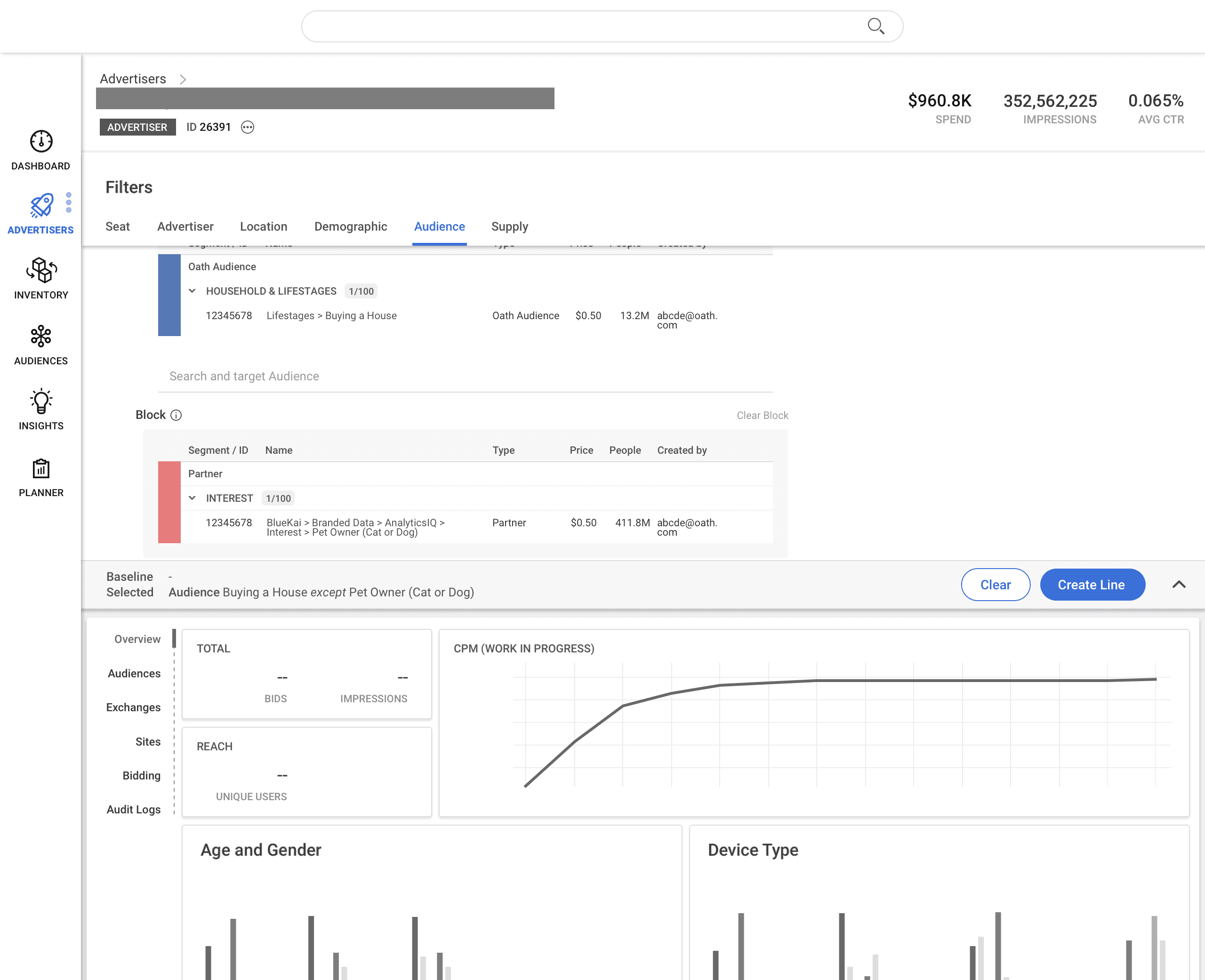
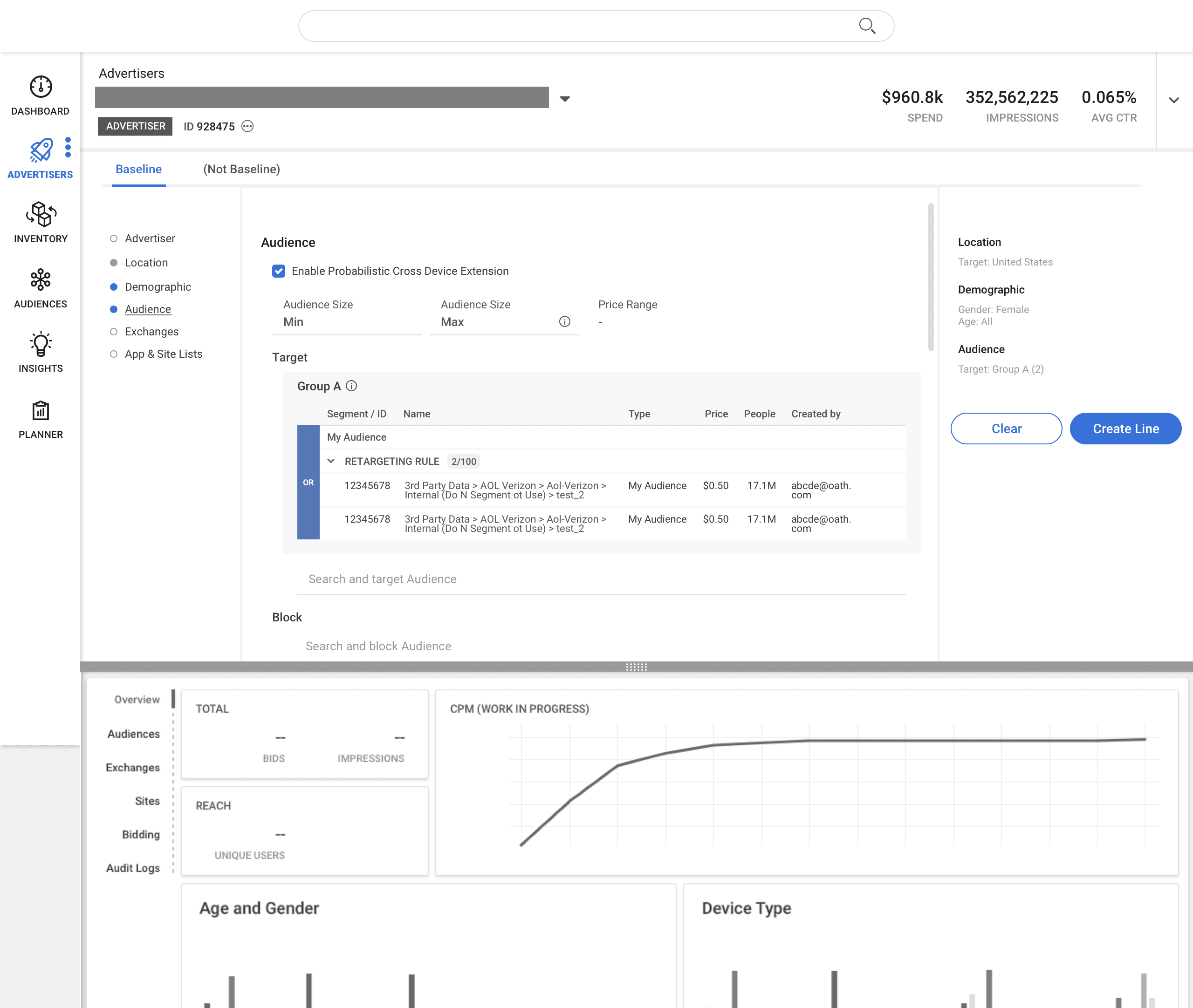
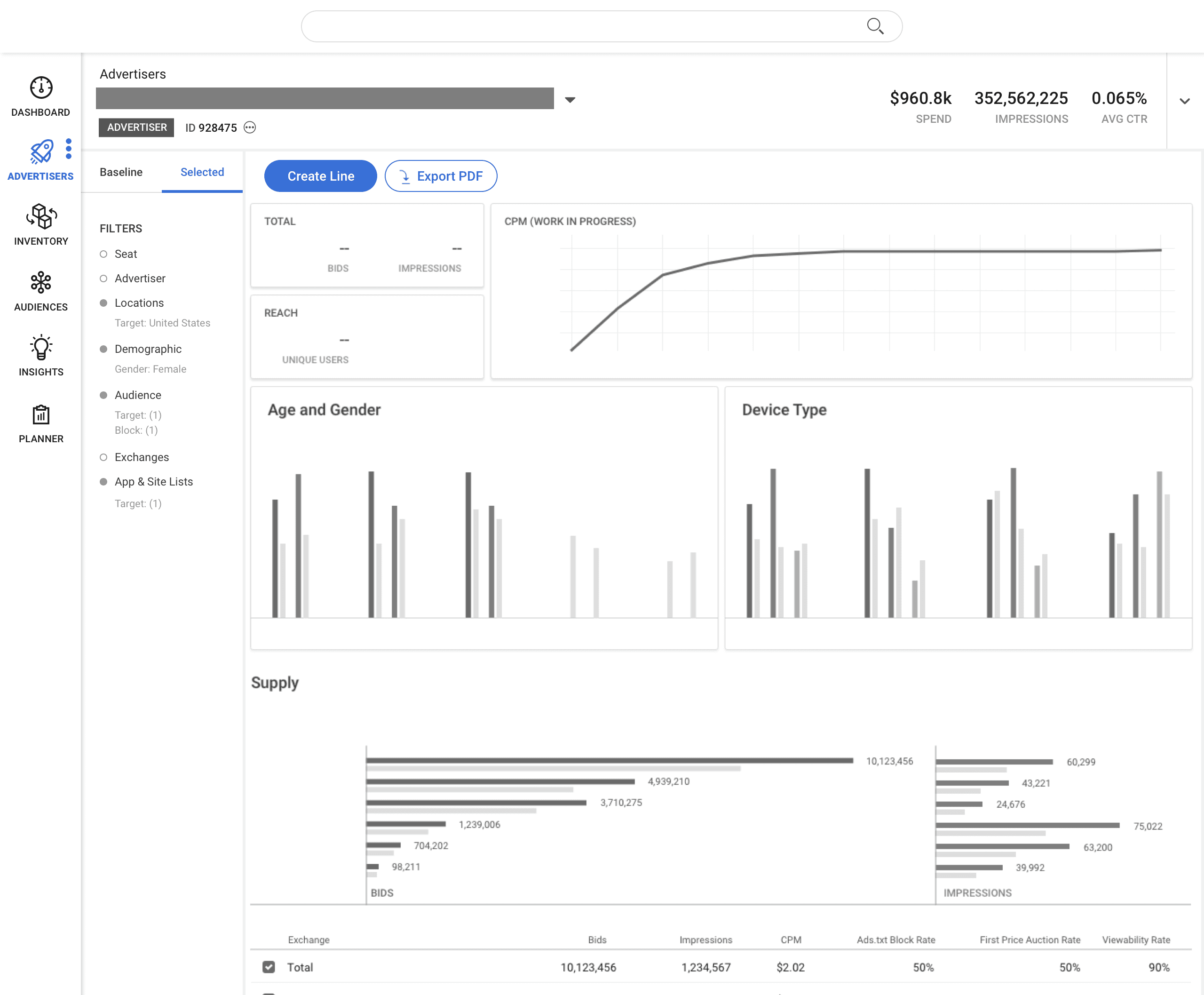
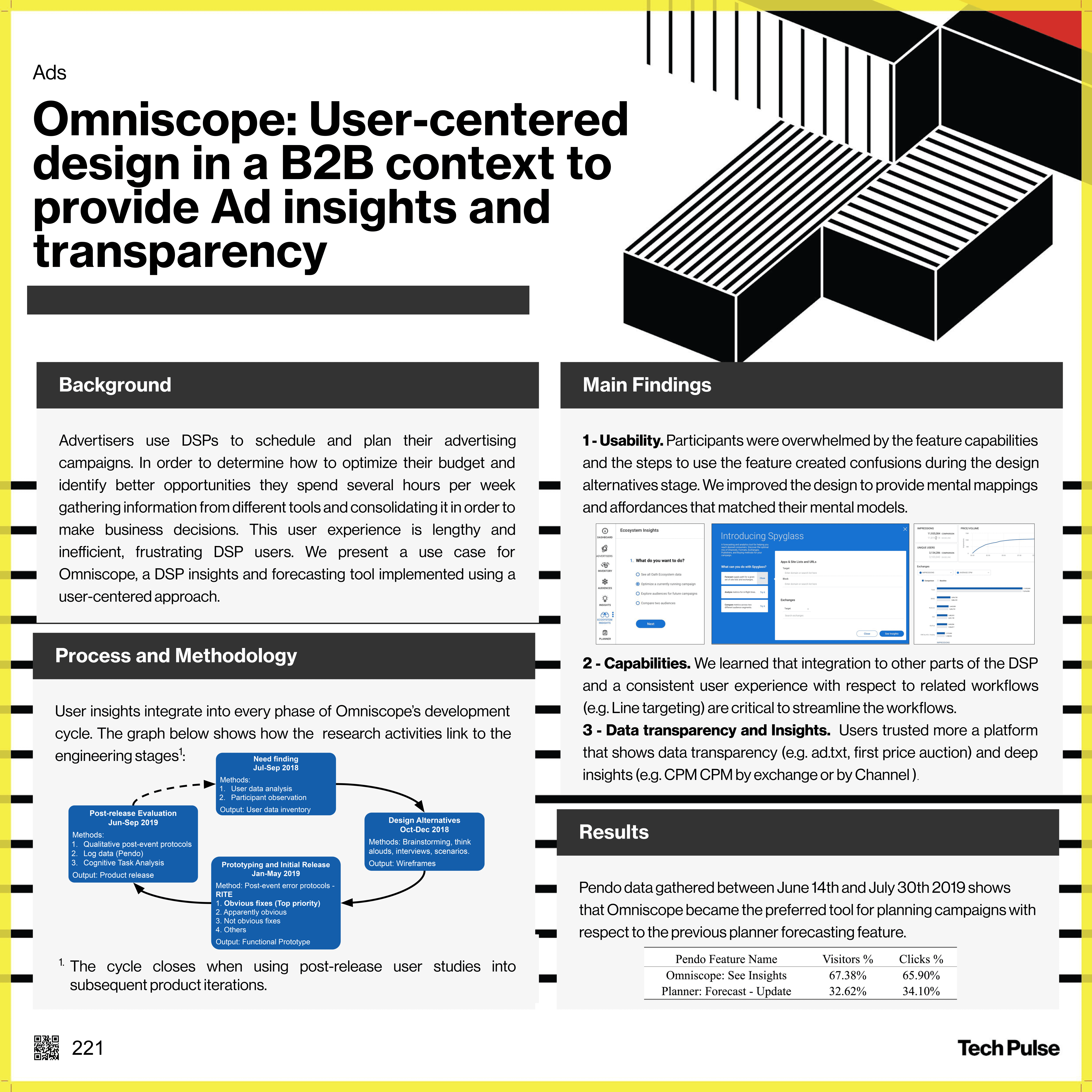
TechPulse Paper
Later in the year, our researcher and data scientist wrote a paper on our process and our findings and submitted it to TechPulse.
Impact
User Satisfaction
2.1x
the number of users preferred Omniscope to the previously-offered alternative forecasting tool
70%
feature adoption in the first month of release
“This is wonderful! This looks like a much better way to pull reports.”
“I can already tell that it's going to be so much easier to get CPM and reach estimates compared to how we did it previously.”
“The layout is great. It's a lot to look at at first, but once you use it once it all makes sense.”
Performance
0.8s
average time to fetch data
1000
queries per minute
2 trillion
bids processed daily
> 1 million
data signals powering forecasting models
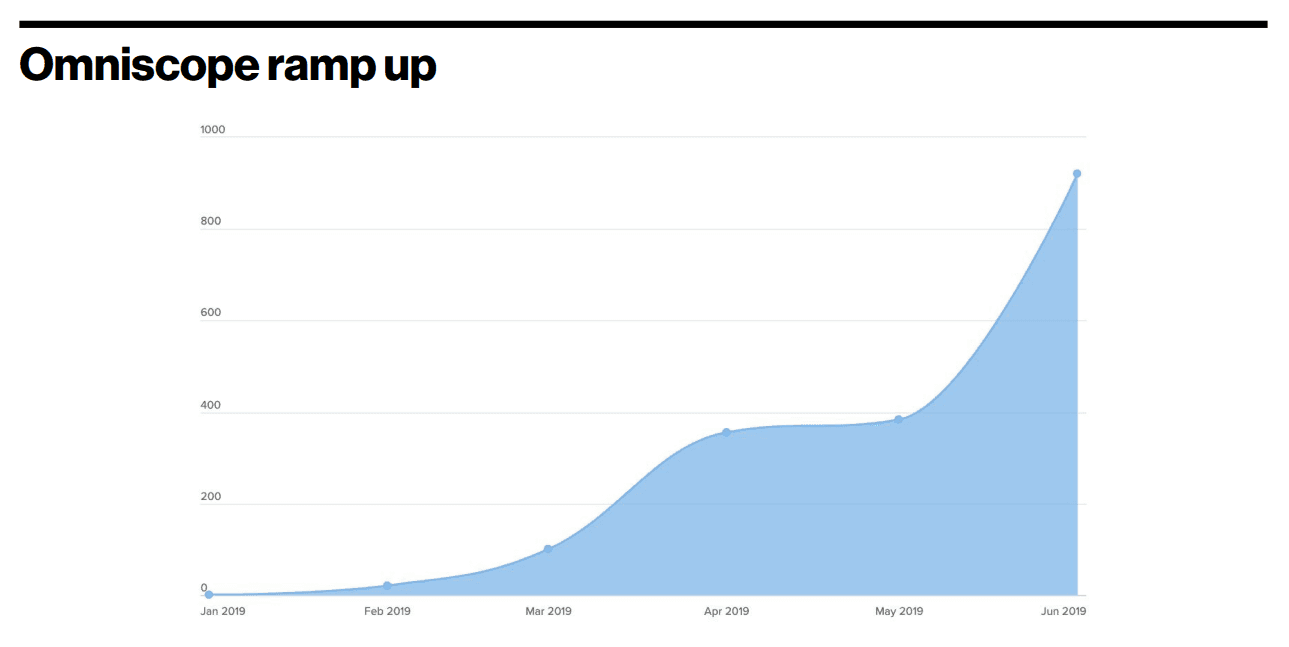
Daily active users
The first ramp-up is for internal testing. After May 2019 is the official feature launch.
Reflections on Growth
Omniscope served as my first end-to-end feature initiative. Through this work, I discovered that I thrive in navigating ambiguous, open-ended problem spaces.
My project manager mentored me through the product pitch process—specifically, how to inspire cross-functional partners and secure executive buy-in. This project was formative in teaching me the quantitative rigor and communication skills required to build a compelling business case.
This early success established my reputation, leading cross-functional colleagues to proactively seek my collaboration on similar strategic initiatives. Later on in my time at this company, I leveraged this experience to mentor junior designers on their own end-to-end feature initiatives.
What's Next?
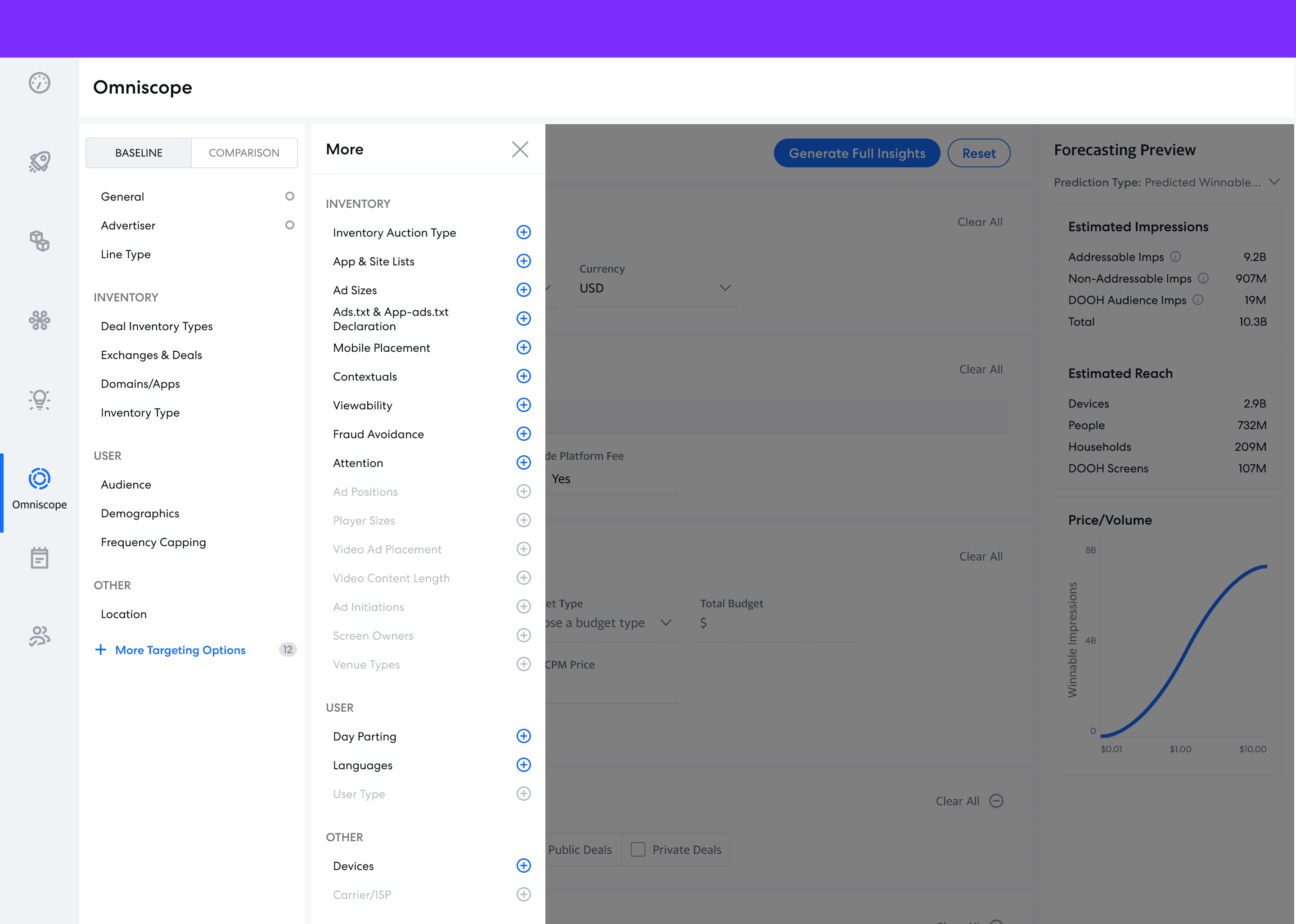
Omniscope targeting improvements mock created by a fellow designer and is not my work
Omniscope continues to be updated over time. In addition to more features and new ways to interact with the data, we also steadily improved the usability of existing interaction flows over time.
Head over to my Streamlined Workflows case study to see an example of how we improved the Omniscope targeting workflow.
Go to Streamlined Workflow Case Study
Enter password from resume to view project
© 2026 Eugenia Lee